Plain Text vs Rich Text vs HTML Emailer
When sending cold emails, you can choose between three formats: Plain Text, Rich Text, and HTML Emailers.
All three deliver emails just fine.
But they don’t perform the same when it comes to tracking, spam filtering, and deliverability.
Plain Text Emails
Plain text emails are the simplest form of email, just text, no formatting.
You can’t add bold, italics, images, buttons, styling, or embedded tracking pixels.
Even links appear only as plain URLs.
Email providers like Gmail and Outlook evaluate every incoming email for “spamminess”. \ They score factors like:
- Image count
- Spam-trigger words
- HTML-to-text ratio
- Hidden code or scripts
- Formatting complexity
- Link
- & More
Because plain text avoids all of these, it scores extremely well with spam filters. \
This makes it much more likely to land in the Primary Inbox instead of Spam. If your emails land in Social, Updates, or Promotions, they aren’t going to spam. They’re just being sorted into the category that matches your content. Some tweak in content is recommended to start landing up in the Primary Inbox.
The trade-off: Since you can’t embed images or HTML, you can’t track opens (no pixel) and you can’t track clicks (links are not wrapped in a tracking redirect).
Best practice: Use plain text for your first email in a cold outreach sequence.
Follow-up emails can then switch to rich text for better formatting and optional tracking.
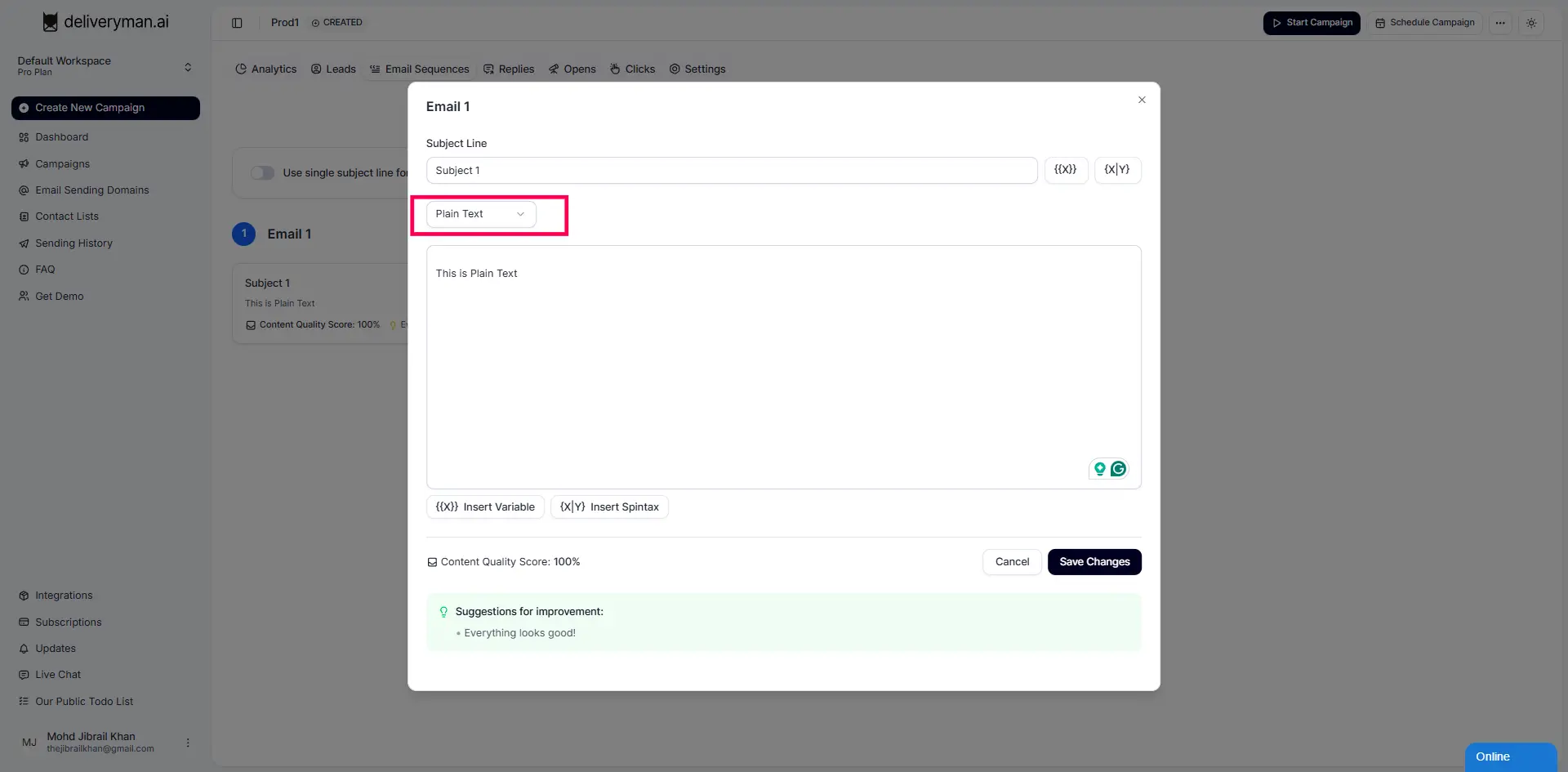
How to send plain text emails: Once you edit your email, you can choose the "Plain Text" option
Pros
- Highest inbox placement rates
- Looks personal and human, ideal for cold outreach
- No design elements that trigger spam filters
Cons
- Open tracking isn’t possible
- Click tracking doesn’t work (plain URLs only)
Rich Text Emails
Rich text emails are technically HTML emails, but with minimal styling.
They allow you to add bold, italics, bullet points, and hyperlinks without touching any HTML code.
Using our editor, you can format your message more clearly while keeping the email lightweight.
Rich text supports basic HTML, you can would be able to:
- Open tracking (via tracking pixel)
- Click tracking (via link wrapping)
Open & Click Tracking is by default enabled for Rich Text Emails so you don't have to do any extra step for it.
Rich text is a balance between plain text simplicity and full HTML design clean, readable, and still deliverable.
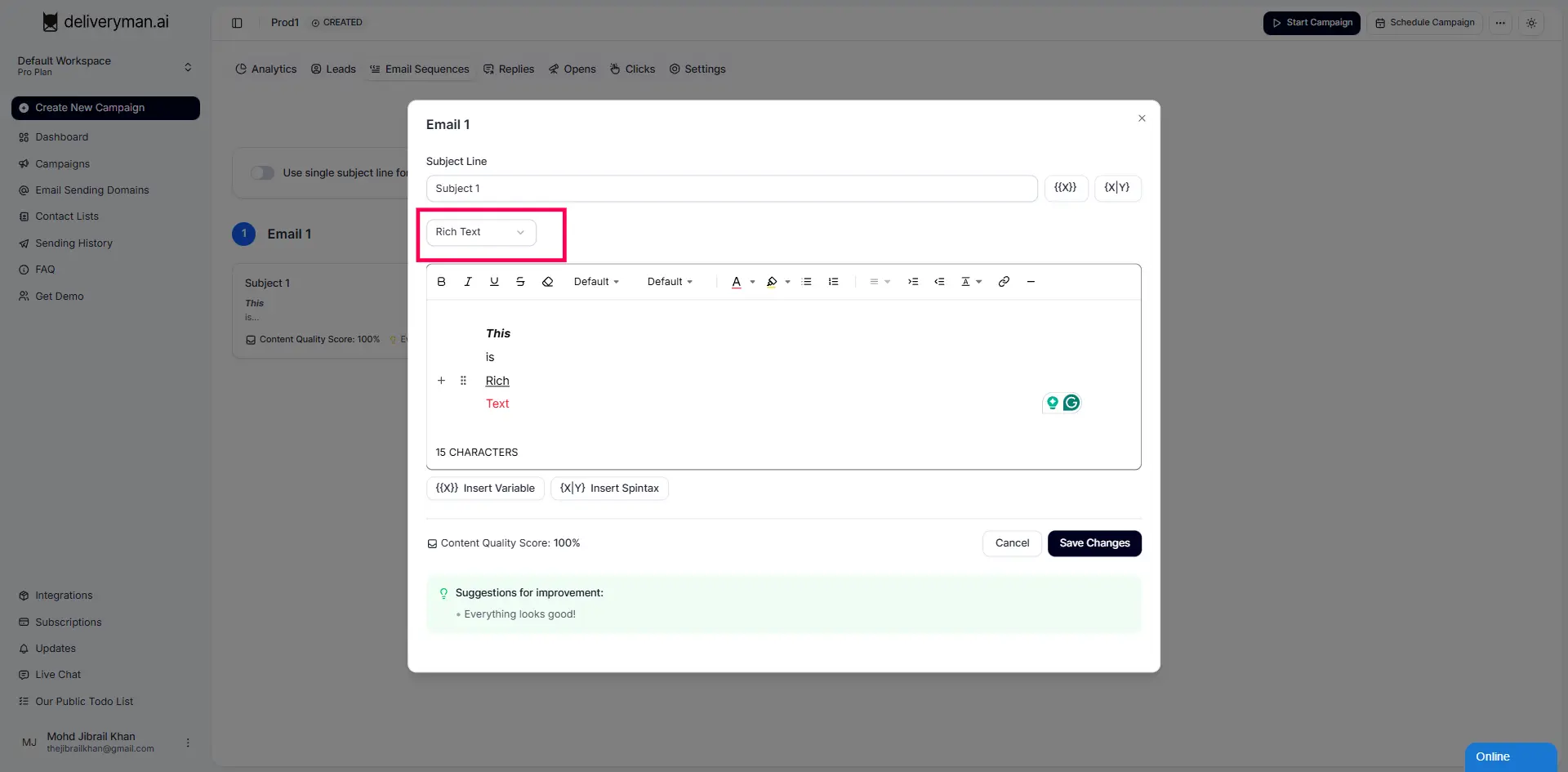
How to send Rich Text emails: Once you edit your email, you can choose the "Rich Text" option
Pros
- Supports open & click tracking
- Cleaner formatting improves readability
- Still lighter & more deliverable than full HTML emailers
Cons
- Slightly lower deliverability than plain text
- HTML presence may push some emails to Promotions in certain inboxes
- Formatting still limited compared to a full webpage-style emailer
HTML Emailers
HTML emailers are fully designed emails that use advanced HTML and CSS.
They allow layouts, images, buttons, banners, multiple sections, custom colors, and branded templates similar to a mini webpage inside the inbox.
They’re great for newsletters, product announcements, or marketing campaigns where visuals matter.
However, because they contain heavy HTML, images, and design elements, inbox providers often classify them as Promotions.
For cold outreach, HTML emailers typically perform the worst in terms of deliverability.
They do support:
- Open tracking
- Click tracking
- Advanced design components
but at the cost of increased spam filtering.
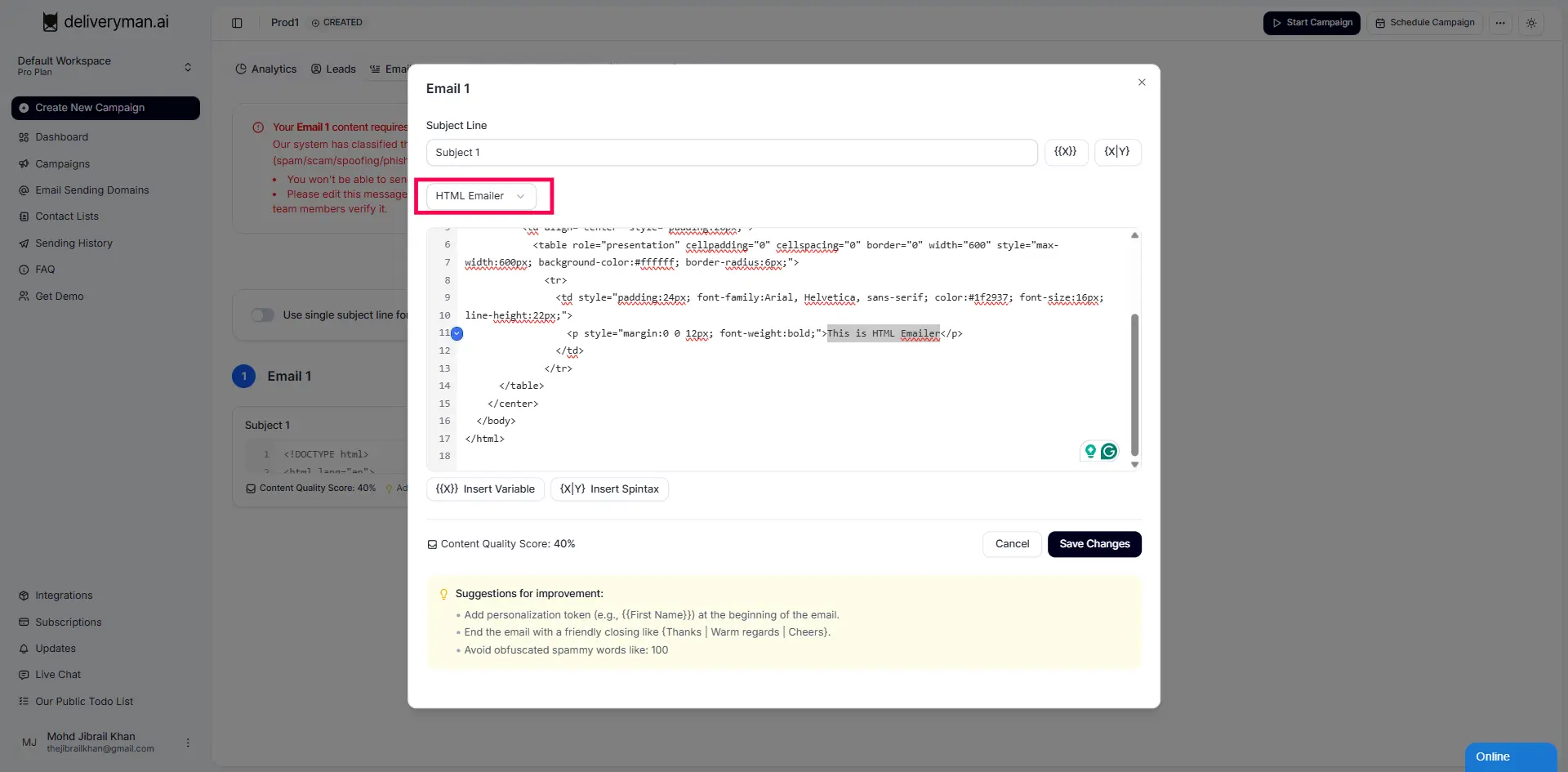
How to send HTML Emailers
You can choose HTML Emailer option from the menu & copy paste your entire html code here.
Pros
- Visually rich & brand-friendly
- Supports advanced layouts, images & buttons
- Fully compatible with open & click tracking
Cons
- Lowest deliverability, often lands in Promotions
- Heavy HTML & images trigger stricter spam filters
- Not suitable for cold outreach
- Can load slowly or break on certain devices/inboxes